Draw & annotate
Pen, text, line, arrow, rectangle and circle tools directly over the live page.
Take a screenshot and annotate it for free—or unlock Live Edit to draw, present and record directly on any webpage.
✓ No credit card required · Capture is always free

LIVE EDIT · PRO
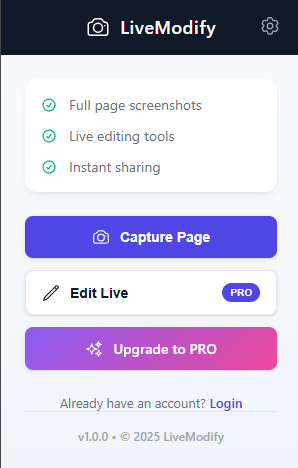
Live Edit places a complete annotation toolbar over the page you are viewing. Explain an idea, guide a teammate or record a walkthrough without switching tabs.
Pen, text, line, arrow, rectangle and circle tools directly over the live page.
Record your screen while annotating and create clearer walkthroughs.
Replay annotations step by step so viewers can follow the story.
Save reusable templates and jump back to an earlier point in your work.
Move, erase, undo and redo objects; control color, thickness, font and size.
Copy your result or download it as an image or PDF.
CAPTURE · FREE
Capture the visible page, add clear visual notes and send the result in minutes. No account or subscription is needed.

Both workflows help you communicate visually. Choose based on whether you want to work on a captured image or directly on the webpage.
Capture
Live Edit
Add the extension from the Chrome Web Store.
Use Capture for free or sign in to unlock Live Edit with PRO.
Annotate, export or record—then share it your way.
Less explaining. More seeing. Start with LiveModify for free.
Add LiveModify to Chrome ↗Prices in USD. Taxes may apply.
Free forever
$2.99 per month or $35.88 per year
This website uses cookies to enhance your experience. You can continue by accepting cookies or selecting only necessary cookies.